
Free, in your browser, no sign-up

Learn Libras by signing it.

Short lessons, an avatar that signs for you and a camera that checks your handshape. All on your phone, nothing to get from an app store.

Your camera image never leaves your device.

Camera view
Each letter is a different person's hand, in the position the app saw and recognized.

What is in the app

  • Beginner course

    From the manual alphabet to your first sentences: 14 units, 57 short lessons and 255 signs.

  • Signing avatar

    The VLibras avatar shows every sign. Replay it and slow it down whenever you like.

  • Camera that checks

    Make the letter, number or sign and see right away if you got it. If not, the app shows what to change in your hand.

  • 3D hand

    Turn the hand to see each letter from another angle and compare look-alikes, like F and T.

What you learn

  • Manual alphabet
  • Numbers
  • Greetings
  • Family
  • Feelings
  • Time
  • Colors
  • Food
  • Places
  • Verbs
  • Money
  • Deaf culture

What a lesson looks like

A few signs per lesson, practiced in different ways. With a daily goal and reviews at the right time, five minutes a day go a long way.

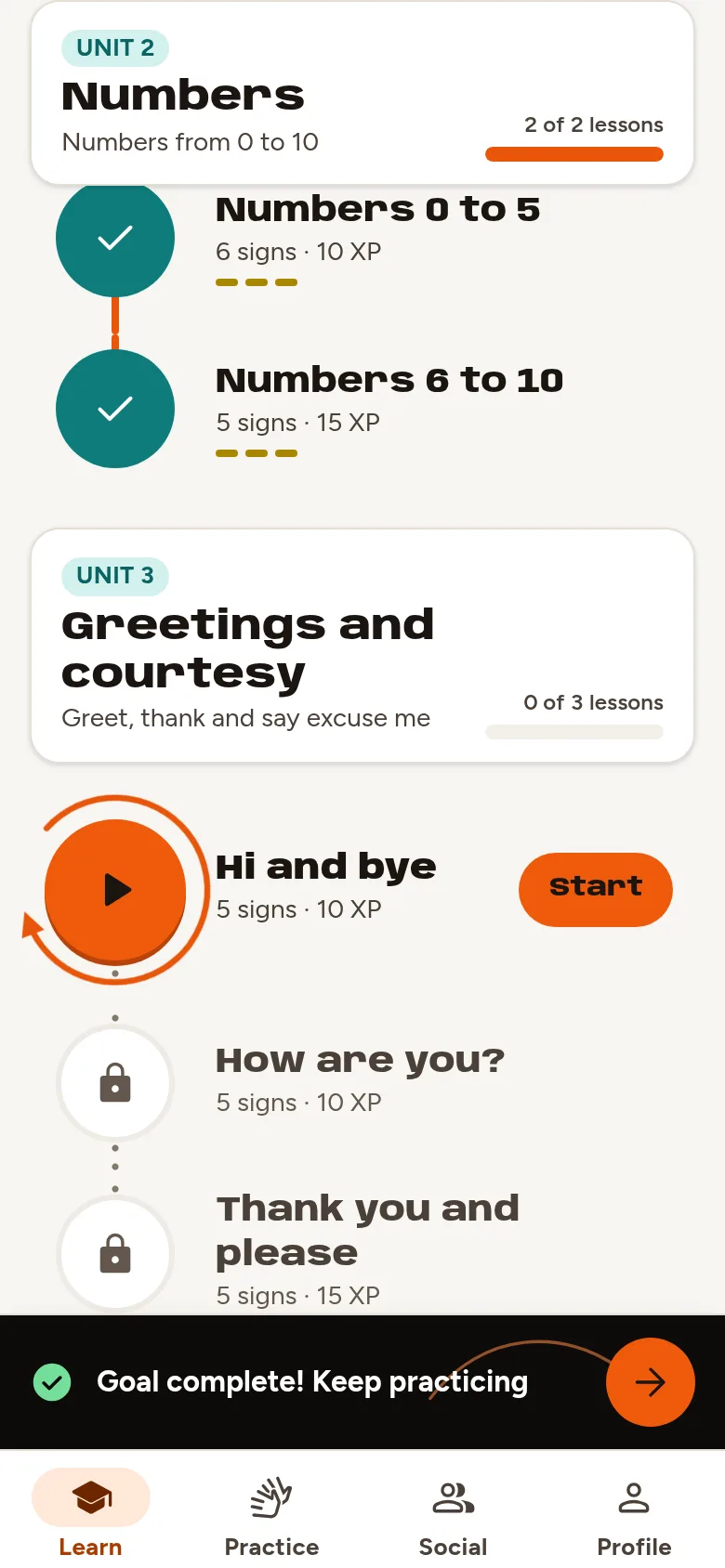
  1. Course map with units and lessons

    Follow the path

    Each unit is a path of short lessons, at your own pace.

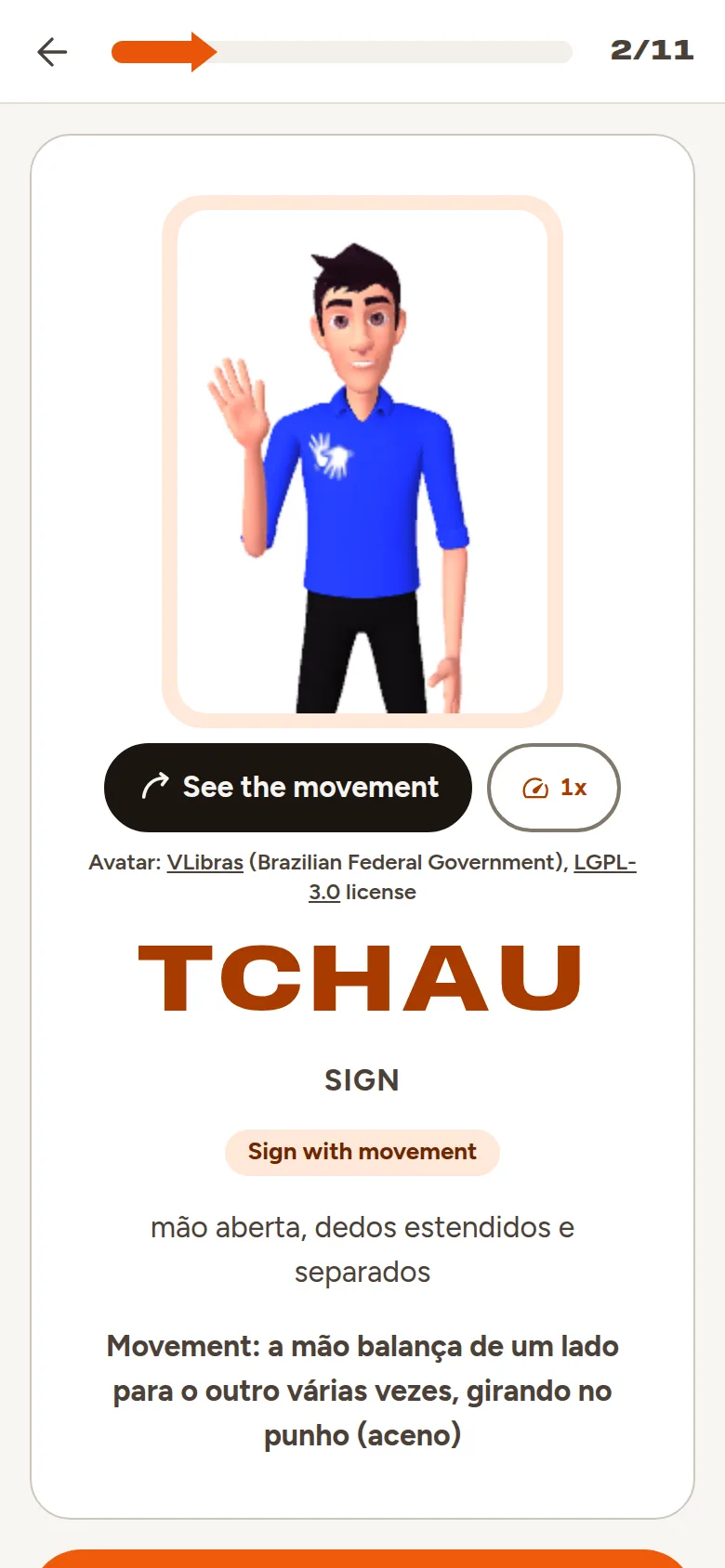
  2. A sign introduced by the VLibras avatar

    Meet the sign

    The avatar shows the sign. Watch it again, slower, as many times as you need.

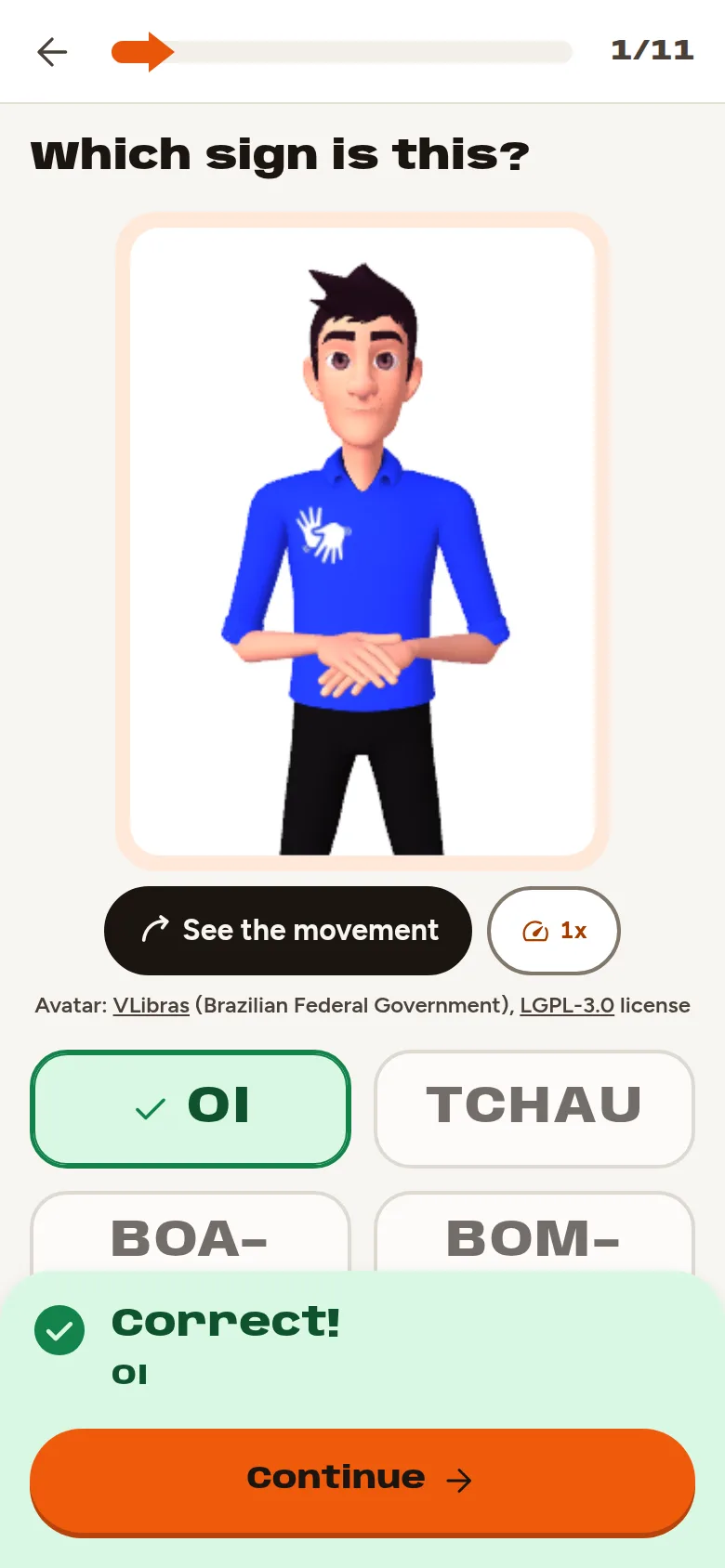
  3. Watch and choose the meaning exercise

    Recognize it

    Watch and choose the meaning, find the right video and match the pairs.

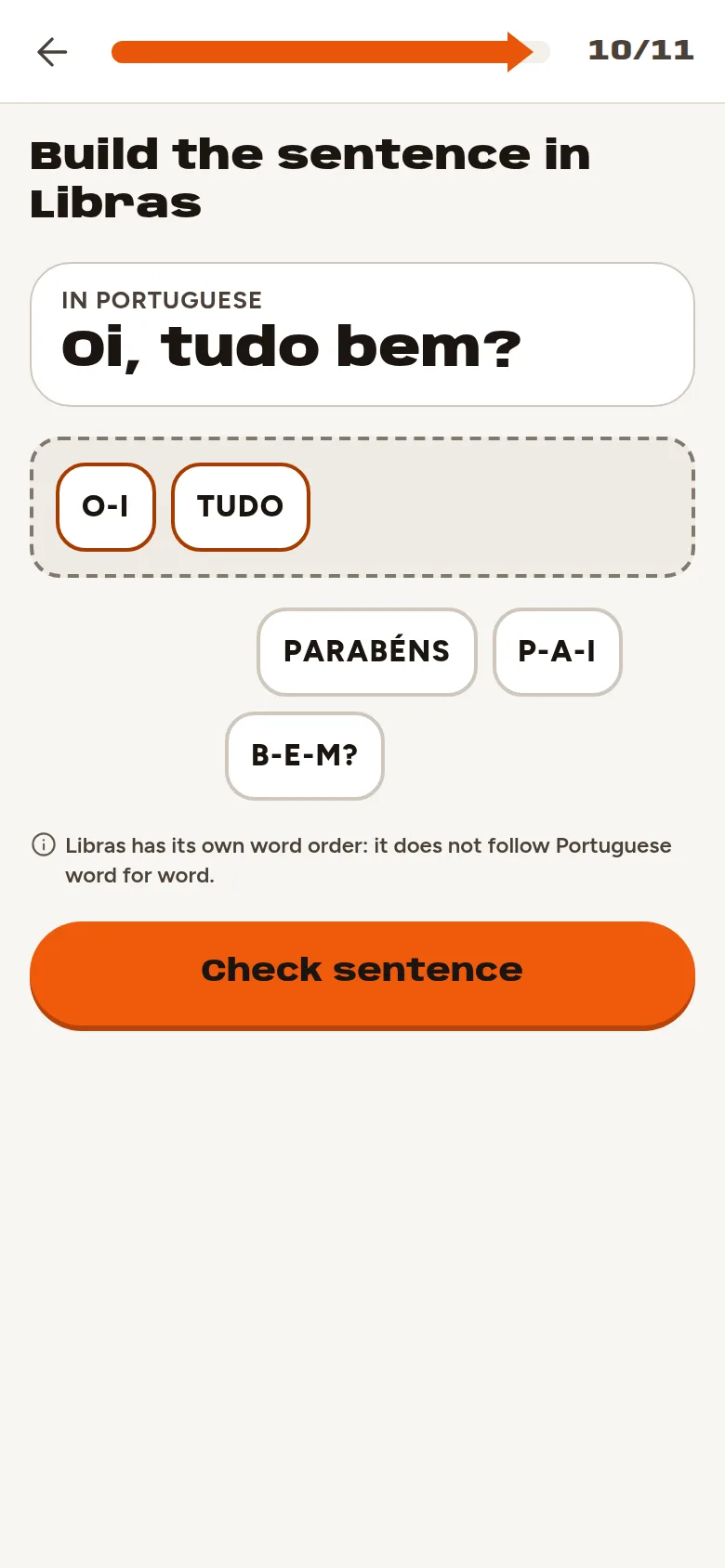
  4. Exercise to build a sentence with signs

    Build and spell

    Build sentences with signs and fingerspell words with the manual alphabet.

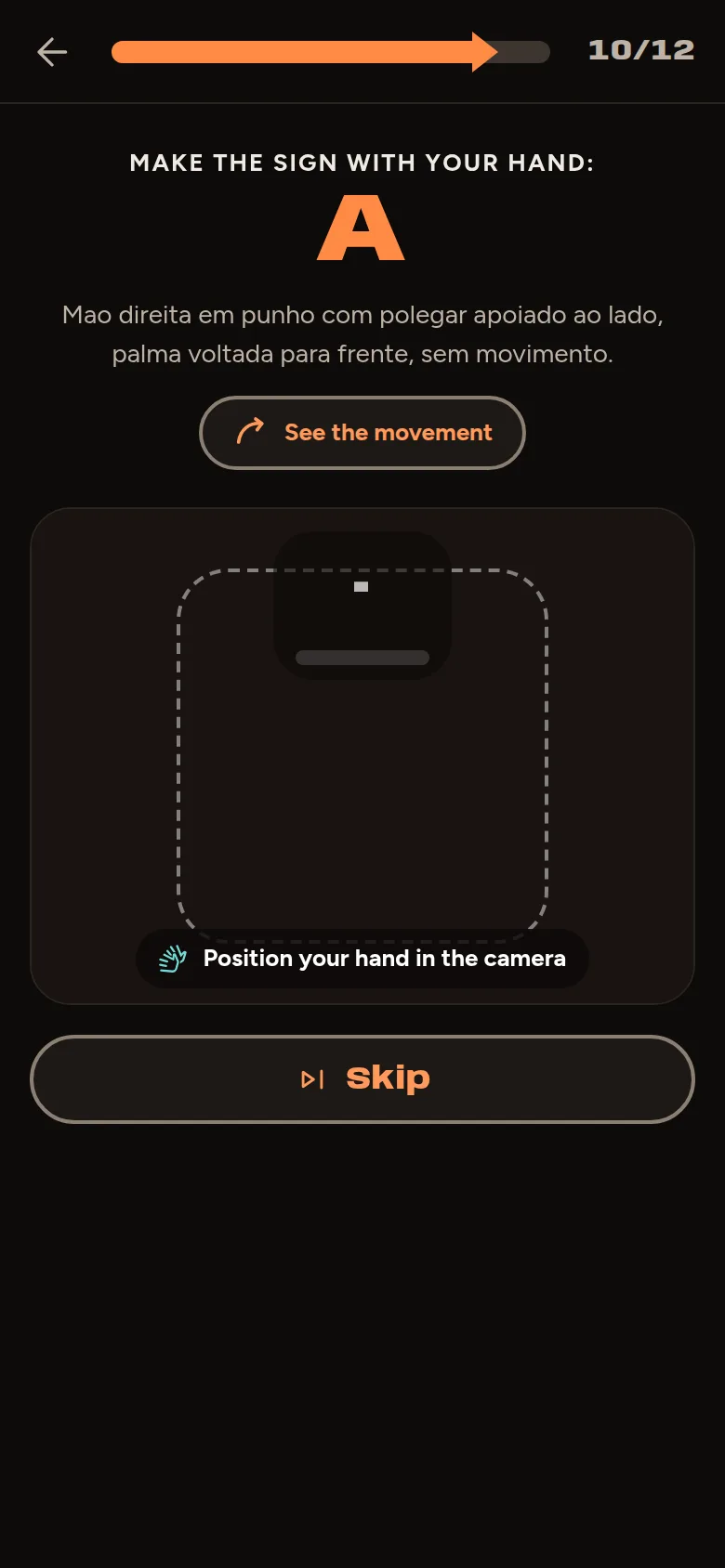
  5. Camera exercise, on the dark stage of the app

    Your turn

    Show the sign to the camera and see if you got it.

Your camera stays yours.

Recognition happens on your device. The video is never recorded or sent.

Your device
  1. Camera The video only shows on your screen.
  2. 21 points The app finds the points of your hand and body.
  3. Reading From those points, the app recognizes the letter or sign you made.
  4. L Answer A match or a hint, right away.
Internet Nothing is sent

How well it works

Measured with people the app never saw in training.

Letter recognition

83.5%

of letters recognized correctly

24 letters

still letters of the manual alphabet. H, J, K, X, and Ç are also checked with their movement. Only Z is still practiced freely.

Training data

15.3h

of Libras video analyzed

2,113

public videos and Libras dictionary videos (INES, Spread the Sign)

520+

different people and channels signing

1,415k

video frames analyzed

223

different signs in dictionary videos

Training uses only hand and body points, never the images.

In training

Signs with movement

The camera already checks 12 whole words with movement, like THANK YOU, FAMILY and MOTHER, and the numbers 0, 2, 3, 8, and 9. Another 52 signs are in training and only join once they pass the same test.

Updated on October 26, 2026.

Install it and study offline

No app store needed: add the app to your home screen and it opens full screen.

Android

  1. Open the app in Chrome.
  2. Tap the three-dot menu at the top.
  3. Choose "Install app" or "Add to Home screen".

iPhone

  1. Open the app in Safari.
  2. Tap Share in the Safari toolbar.
  3. Choose "Add to Home Screen".

Computer

  1. Open the app in Chrome or Edge.
  2. Click the install icon at the end of the address bar.
  3. Confirm with "Install". In Safari on a Mac, use File > Add to Dock.

To study without internet, use "Download for offline use" in Settings. After that, lessons, the avatar and the camera work even in airplane mode, and your progress syncs when the connection is back.

In the stores

  • Google PlayComing soon
  • App StoreComing soon

Who makes Librax

Photo of Alisson Júnior, smiling

Alisson Júnior

Tech Lead and career mentor

I have worked in tech for over 10 years, from junior developer to architect and Tech Lead, and today I am also a career mentor. I built Librax to bring together two things I believe in: technology that works on anyone's phone, even offline, and Libras being more present in the everyday life of hearing people.

FAQ

Is it free? Do I need an account?

It is free from the first lesson to the end of the course, and there is no sign-up. Your progress is stored on your device.

Do I have to use the camera?

No. You can skip the camera exercises and do the rest of the course without it.

Does the camera recognize every sign?

Not yet. It checks the whole manual alphabet except Z, 12 words with movement and the numbers 0, 2, 3, 8, and 9. You practice the rest without the check, and more signs are in training.

I already know the alphabet. Do I have to start from scratch?

No. A quick, optional placement test checks on camera the letters you already know and skips the lessons you have mastered. It earns no points, and you can undo it in Settings.

I am deaf. Is the app for me?

Yes. Nothing in Librax depends on sound: instructions, results and hints are all on screen, and app sounds are optional.

Which languages is the app in?

The interface is in Portuguese, English and Spanish. The language taught is Libras, Brazilian Sign Language.